
With the platform, you can connect your bank account, automatically import your transactions, manage your financial activity, access reports, and much more.
In this guide, you’ll find an overview of Fynance’s main features:
Dashboard
The Dashboard provides an overview of your company’s financial situation and gives you quick access to the platform’s main features.
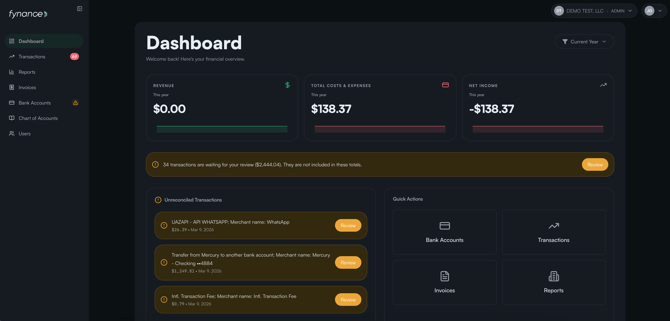
Here, you can view:
- Total revenue, total expenses, and net income for the current month.
- Unreconciled transactions that still need to be reviewed.
- Quick actions to access bank accounts, transactions, invoices, and reports.
- Financial trends for the last 6 months, including profit, expenses, and net income.
Bank Accounts
In this section, you can connect and manage your company’s bank accounts.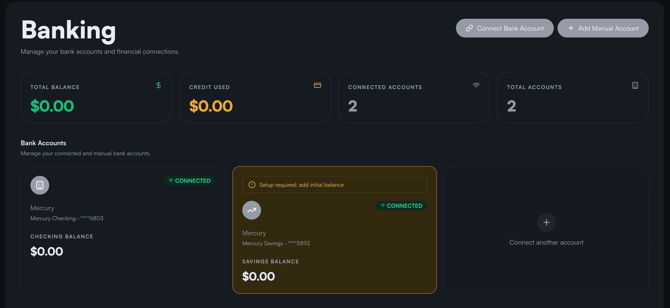
Connect Your Bank Account
Click Connect Bank Account to link your business bank account through Plaid and automatically import your transactions.
Once connected, Fynance’s AI assistant will be activated to help organize and analyze your financial information.
🔒 Your data is secure
Fynance use Plaid's bank-level security. They don't see or store your banking credentials. You can disconnect your bank at any time.
Add an Account Manually
If you prefer, you can also add your bank account without connecting it to Plaid. To do so, click + Add Manual Bank Account.
Manage Your Connections
View and manage your bank accounts and other financial connections in one place.
Transactions
Manage and classify your financial transactions:
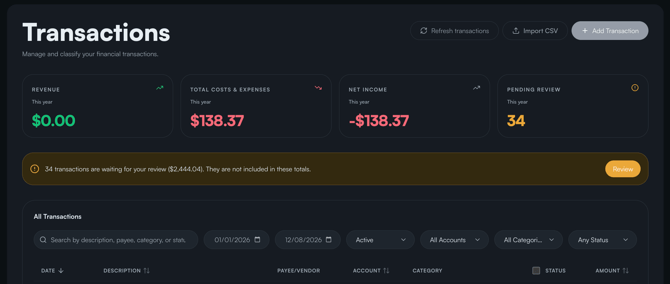
- Import your transactions: click Import CSV to upload a file containing your transactions if your bank account is not connected to the platform.
- Add a transaction manually: click Add Transaction and enter the required details, such as date, vendor or customer, description, type, amount, bank account, category, and notes.
- Review and reconcile your transactions: review each transaction and, once validated, mark it as “Reconciled” to keep your financial records accurate and up to date.
Financial Reports
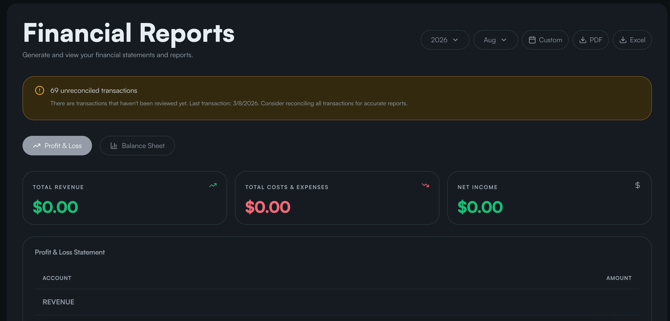
Generate and export your company’s main financial reports, such as the Balance Sheet and Profit & Loss Statement. You can also view your financial information for the entire year, the current month, or a custom period.
Invoices
In the Invoices section, you can configure your invoices’ default information and appearance.
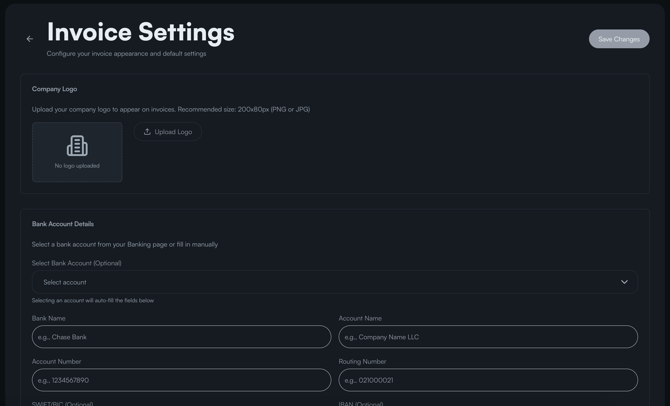
You can:
- Add your company logo.
- Enter your company’s bank account details.
- Add products or services.
- Add customer information.
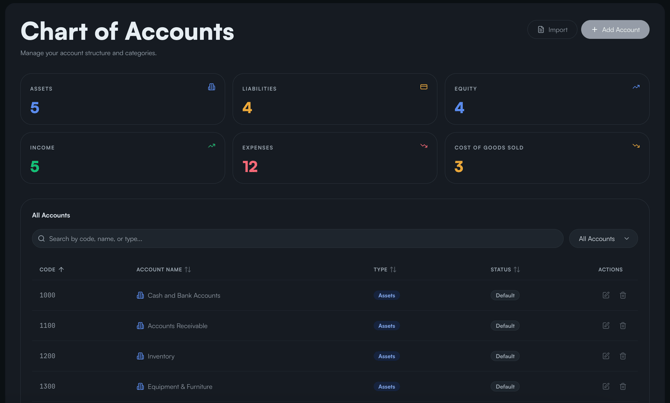
Chart of Accounts
Organize your accounting structure and categories: income, cost of goods sold, expenses, assets, liabilities, and equity.
Users
Manage users and their access to your Fynance account:
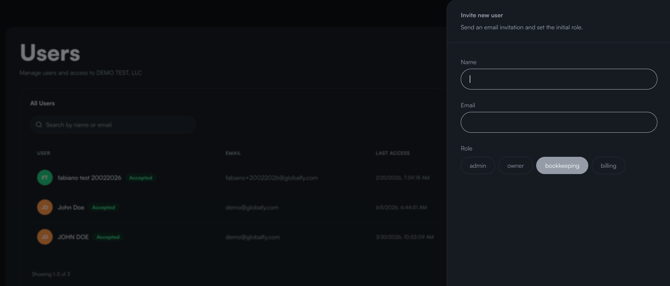
- Invite users as administrator, owner, accountant, or billing contact.

If you still have any questions or need further assistance with this topic, we are here to help!
✉️ Simply contact us via email at help@globalfy.com or send a WhatsApp message to +1 (866) 428-2030. Our team will be happy to assist you.